AI photo editor
The photo editor that grows with you.
Fast on-the-spot editing, watermark removal, filters, an AI assistant and LAN collaboration — on desktop and in the browser.
- 16built-in looks
- 4watermark removal engines
- 3security audits before release
How it works
From folder to finished photo (Photorunner)
Projects
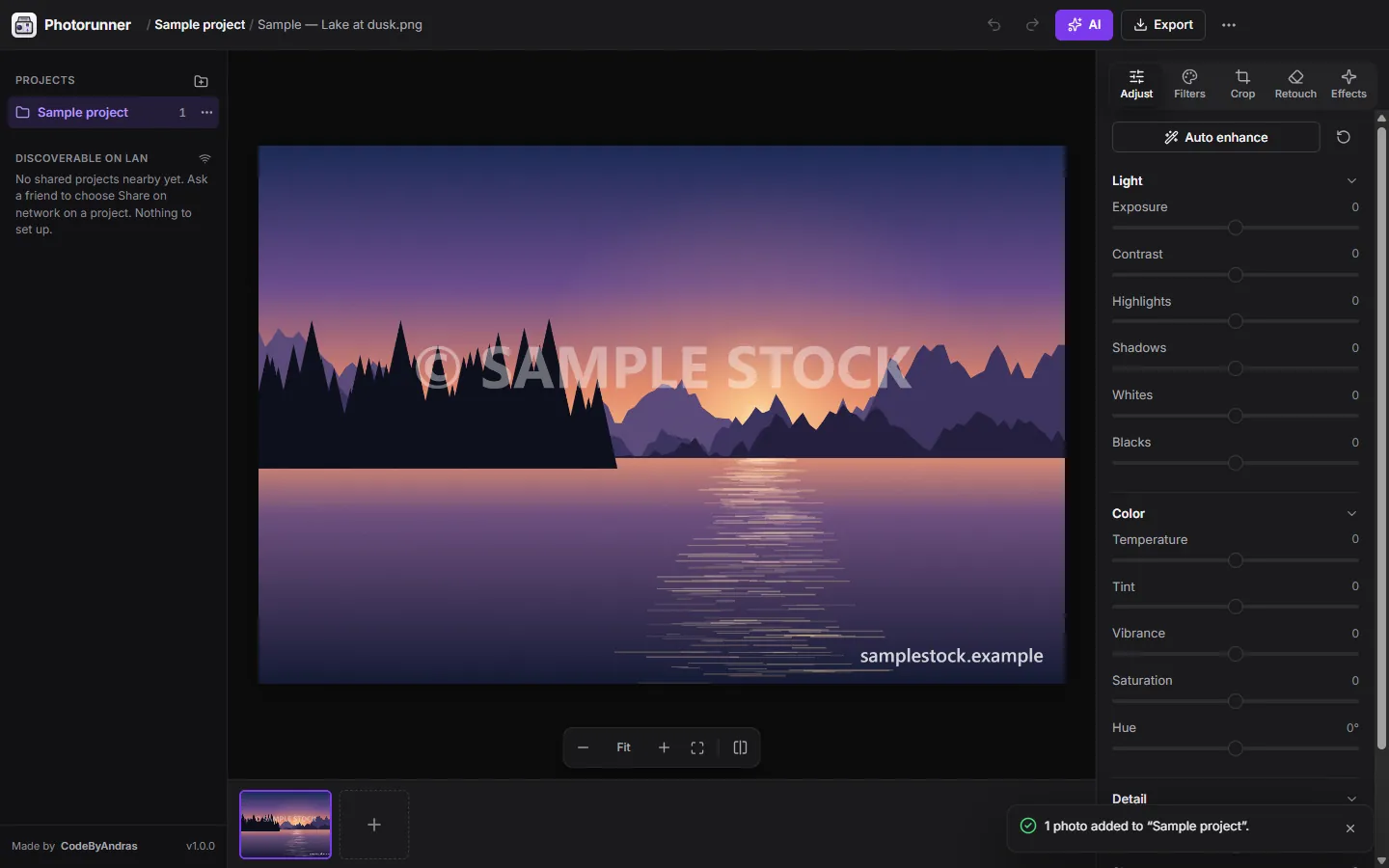
Every photo in the folder becomes part of a project. Or drag photos and whole folders onto the window.
Adjust
Exposure, contrast, highlights, shadows, temperature, vibrance, clarity and more, or one click on auto enhance.
Retouch
Photorunner finds them for you and removes them with one of four engines, including Un-blend, which recovers the real detail under see-through watermarks.
AI assistant
Type “make it warmer, crop it square and remove the logo” and it happens, on one photo or a whole project, with any AI provider you choose. Originals are never overwritten.
Feature Forge
Feature Forge researches the technique, writes it, tests it in a sandbox with no network or file access, and adds it to your editor.
LAN + export
Friends on the same Wi-Fi join with your approval and a matching 8-digit code, end-to-end encrypted. Then export, on Windows, macOS, Linux or in the browser.
About the project
Photorunner starts small and fast: pick a folder, fix the light, crop, wipe out a watermark and export. When you need something it doesn't do yet, you describe it — Feature Forge researches the technique, writes it, tests it in a sandbox and adds it to your editor.
Your features, themes and looks sync to your own GitHub repository and can be shared with everyone in one click.
Four ways to remove a watermark
Photorunner finds watermarks, logos and dates for you, or you select them with a brush, box or magic wand. Smart fill, Quick fill, Un-blend (which reverses see-through watermarks and keeps the real detail underneath) and AI each suit a different kind of mark.
An editor you can extend in plain words
Feature Forge turns a description into a working tool: the AI researches how it works, writes the code, runs it in a sandbox without network or storage access, and installs it only after the sandbox check passes.
Private by design
Photos never leave your device, there is no account and no analytics, API keys live in the OS keychain, and LAN sessions are end-to-end encrypted with a matching verification code on both screens.
Interactive demo
Try the adjustments
Move the sliders and watch the photo change, then compare the image before and after the watermark is removed.
Double-click a slider to set it back to zero. Arrow keys nudge a focused slider.
In-browser demo with simulated data. The real app does much more.
Features
Folders become projects
Pick a folder and every photo in it becomes part of a project. Or drag files and whole folders onto the window.
Full adjustments
Exposure, contrast, highlights, shadows, temperature, saturation, clarity and more, plus one-click auto enhance.
Watermark removal
Detects watermarks, logos and dates automatically, with four removal engines including one that recovers detail under transparent marks.
AI assistant
Type “make it warmer, crop it square and remove the logo” and it's done — on one photo or the whole project.
Any AI provider
OpenAI, Gemini, Mistral, Groq, OpenRouter, local models through Ollama or LM Studio, or any OpenAI-compatible API.
Feature Forge
Describe a feature or a theme; the AI builds it, tests it in a sandbox and installs it.
LAN collaboration
Edit together on the same Wi-Fi with zero setup. The connection is end-to-end encrypted.
Originals stay untouched
Every AI result is saved separately with a note of what was asked.
Screenshots
Privacy & security
- Your photos stay on your device. No account, no analytics, no tracking.
- On desktop, API keys are stored in the OS keychain (Windows DPAPI, macOS Keychain, Linux Secret Service).
- Features built by the AI run in a sandbox with no network or storage access.
- Three security reviews before release: all 29 issues raised were fixed before publishing.
Questions about Photorunner
Is Photorunner free?
Yes. It is source-available under the PolyForm Noncommercial license: free to use, study and modify for any noncommercial purpose.
Do my photos get uploaded anywhere?
No. Editing happens on your device. AI requests go straight from your computer to the provider you choose, with your own key.
Can I use it without installing anything?
Yes. There is a web version that runs in your browser, and a self-hostable build you can run on your own server.
Should I remove watermarks from any photo?
Only from photos you own or are allowed to edit. The feature is meant for your own images, stock you licensed, or old scans with date stamps.
 Algorithms C++
 EdgePilot
Contact
Got a project in mind?
Let's talk.
Tell me briefly what you want to build. I'll reply with a concrete proposal: what goes into the first version, how long it takes and what the steps look like.