Free Brightspace MCP server and tray app
One click, and your AI knows your whole Brightspace.
Every deadline, grade and announcement across your D2L courses, in your system tray, with Claude, GPT, Gemini or any AI telling you what matters today.
Free and open source, no account, 118 MB. macOS and Linux builds are on the way.
Windows may warn you, because the app is not code-signed yet: choose More info, then Run anyway.
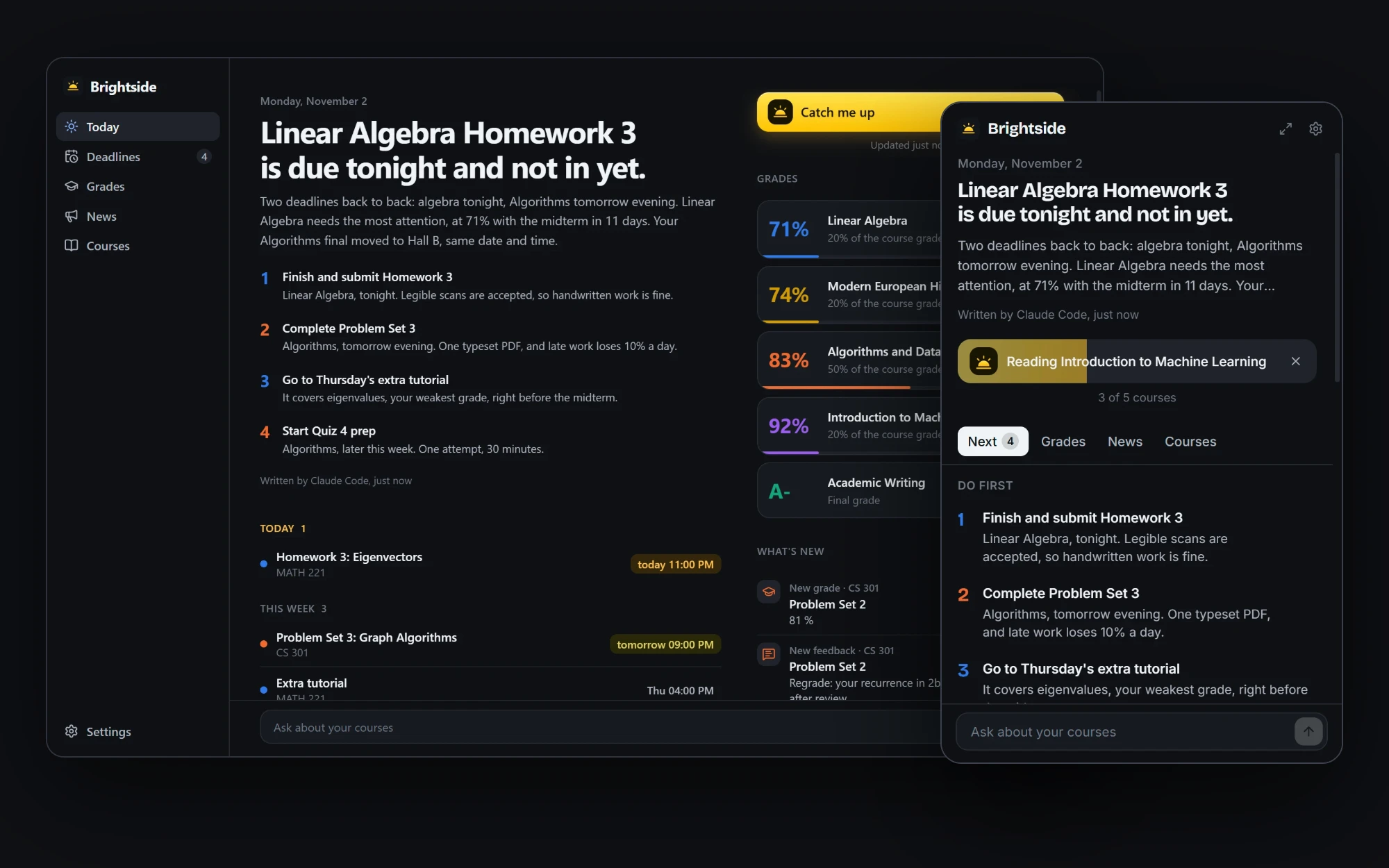
This is the real interface. Press Catch me up.
Stop checking six courses for what changed
Brightspace shows your semester one course at a time. Brightside reads all of it and has your AI tell you where to start.
Sign in once
Type your school's Brightspace address and sign in on the page you already know. Any single sign-on and any two-factor method works.
Press one button
Brightside reads every course: deadlines, grades, feedback, announcements, quizzes and calendar events.
Know what matters
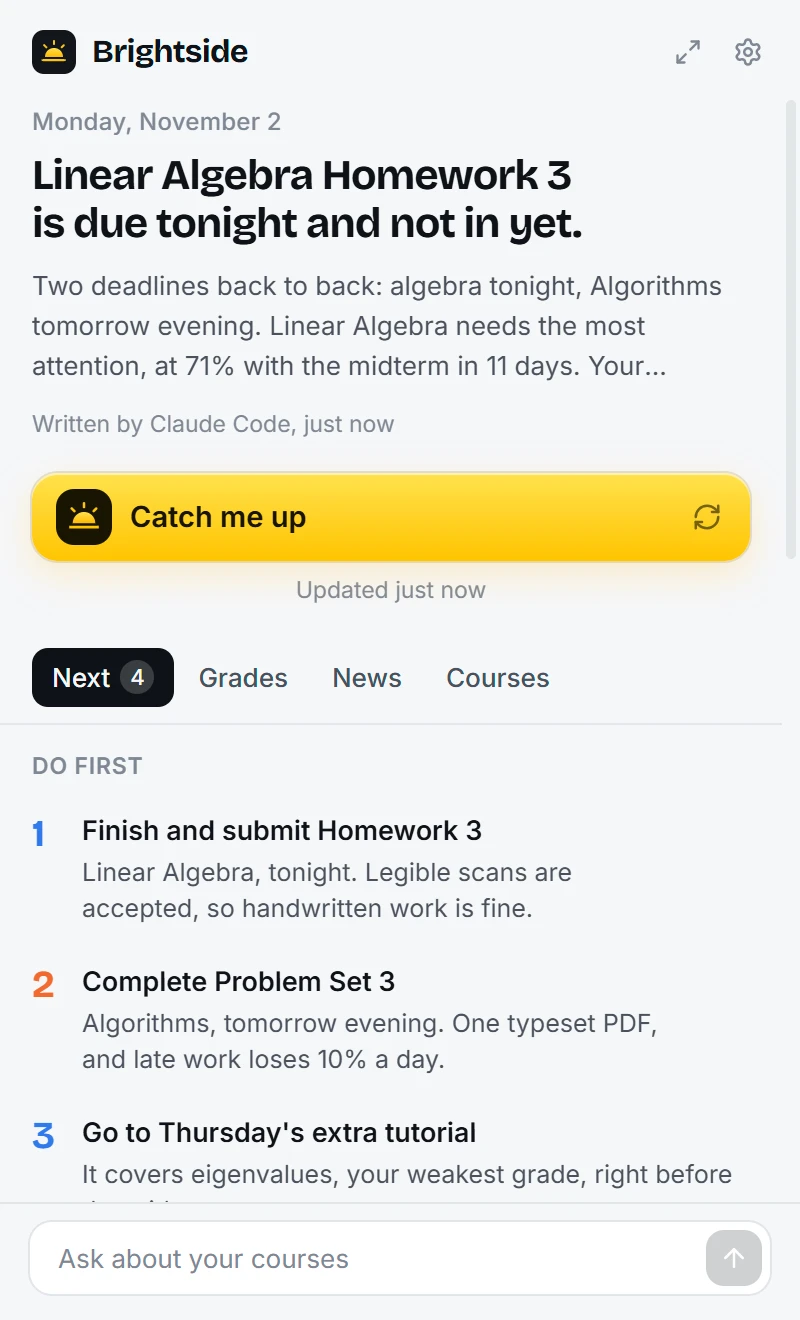
Your AI writes a short brief and a ranked to-do list. A small quiz tonight can beat a big project next month.
Everything in one place, with nothing to set up
Deadlines that make sense
Assignments, quizzes and events from all courses, sorted by when they actually hit, with whether you already handed them in.
Grades and what you need
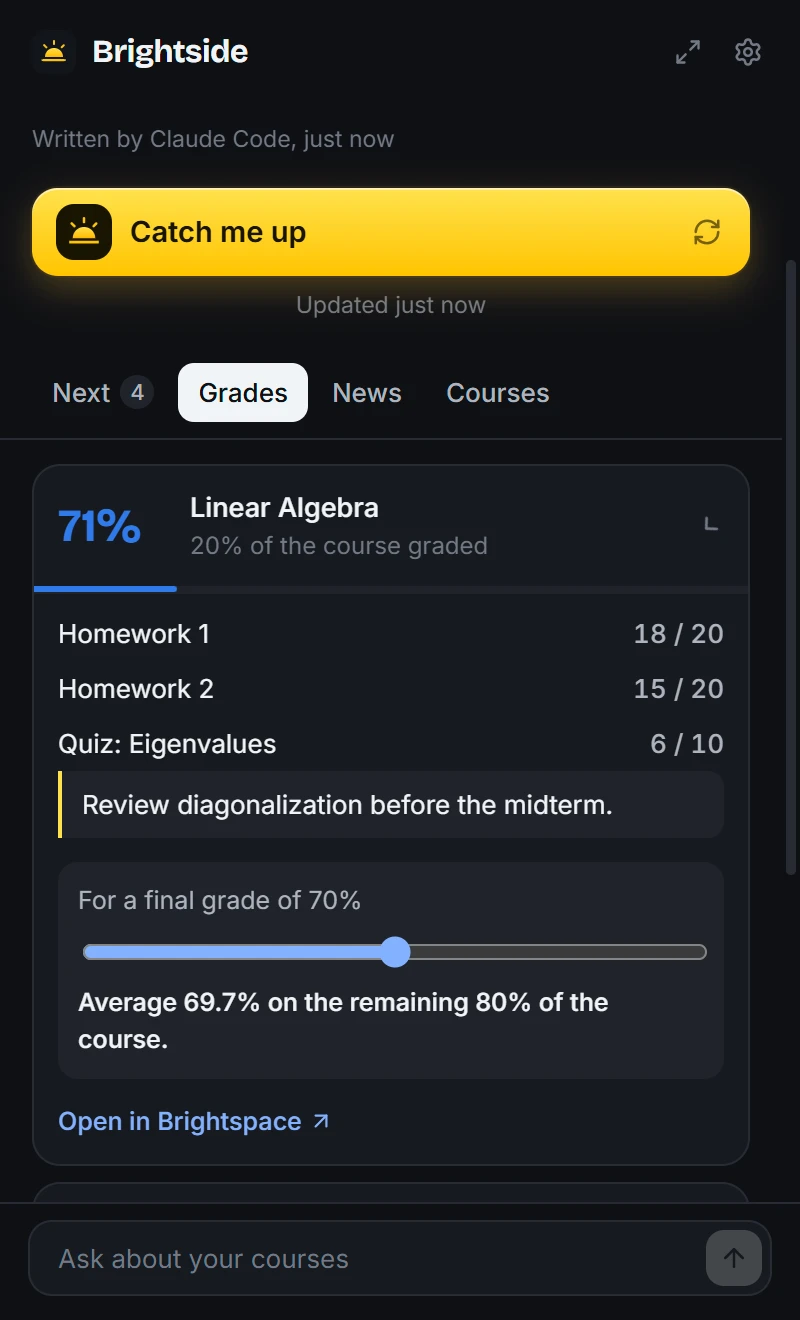
Running grades per course, instructor feedback, and a slider that shows what you need on the rest of the course to reach your target.
What changed
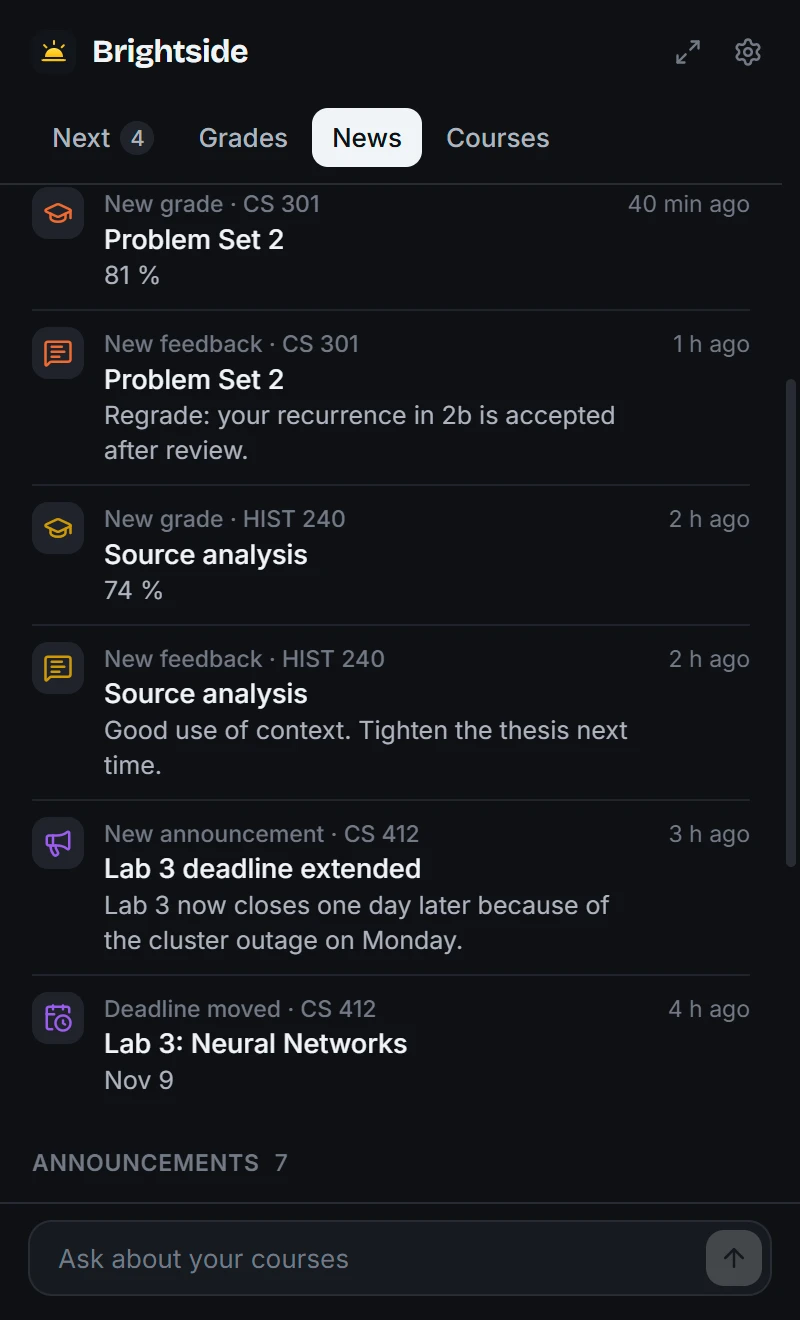
New grades, new feedback, new announcements and moved deadlines, in one feed, with a notification when something lands.
Ask anything
The AI can open your course files, including PDF, Word, PowerPoint and Excel, and answer from the real slides and the real syllabus.
Quiet in the background
Checks Brightspace on a timer and tells you when something changes. Your AI only ever runs when you ask, so it costs nothing while you sleep.
Dark, light, English, Română
Follows your system theme. The AI writes in the language you choose.
Questions you can finally just ask
In the app's ask bar, or inside Claude, Cursor and any other connected AI app.
Works with the AI you already have
Brightside finds what is on your computer and uses it. No new subscription, and no AI needed at all if you prefer.
| AI | How it connects | Cost |
|---|---|---|
| Claude Code | Explores your courses with the MCP tools | Your Claude plan |
| Ollama | Explores with the tools, on your computer | Free |
| Anthropic API | Explores with the tools | Your API key |
| GPT, Gemini, OpenRouter, Groq, LM Studio and others | Any OpenAI-compatible endpoint, with the tools | Your API key |
| Built in | Simple rules, no AI, nothing leaves your computer | Free |
Connect Brightspace to Claude, Cursor or any MCP client
Only want the Brightspace MCP server? You need Node.js 22 or newer and two commands: one to sign in, one to add it to the AI apps on your computer.
npx -y brightside-brightspace-mcp loginnpx -y brightside-brightspace-mcp connectThe npm package is being published. These commands will work as soon as it is live.
19 tools and 4 ready-made prompts. Works with Claude Desktop, Claude Code, Cursor, Windsurf, VS Code, Codex and Gemini CLI: setup for each.
| Brightside | A typical Brightspace MCP server | |
|---|---|---|
| Tray app with one-click brief | Yes | Command-line only |
| Works with no AI app open | Yes | Needs an AI client |
| Sign-in | Your school's own page | Scripted per school, often with a password in a store |
| Browser download | None, uses the one you have | Usually a separate automated browser |
| Notifications for new grades | Yes | No |
Your grades stay yours
Open source under the MIT license, so every line of this can be checked.
Your password never reaches it
You type it into your school's page. Brightside only keeps the session Brightspace gives you afterwards.
Encrypted on your computer
Session, API keys and course data use AES-256-GCM, with the key held by Windows, macOS or Linux itself.
Read-only by construction
It cannot submit, post or change anything on Brightspace, and an AI cannot make it.
No servers of ours
No account, no telemetry and no cloud. Traffic goes to your school and to the AI you chose, and nowhere else.
Frequently asked questions
What is a Brightspace MCP server?
MCP, the Model Context Protocol, is the standard way to plug tools into an AI app. A Brightspace MCP server lets an AI like Claude read your D2L Brightspace courses, so you can ask it about deadlines, grades and announcements. Brightside is one, and it adds a tray app with a one-click brief.
Does Brightside work with my school?
If your school uses D2L Brightspace, yes. You sign in on your school's own page, so Microsoft, Duo, Shibboleth, Google and any other single sign-on or two-factor method work the same.
How do I connect Brightspace to Claude?
Run npx -y brightside-brightspace-mcp login to sign in, then npx -y brightside-brightspace-mcp connect, and restart Claude. Or install the tray app and press Connect in its settings.
Does Brightside see my password?
No. You type your password into your school's own page. Brightside only keeps the session Brightspace gives you afterwards, encrypted on your computer.
Do I need an AI subscription?
No. With no AI at all, the built-in brief still ranks your deadlines. With Ollama, everything is free and stays on your computer.
Can Brightside submit assignments or change anything?
No. It is read-only by construction. It cannot submit, post or change anything on Brightspace.
Why does Windows warn me about the download?
Brightside is not code-signed yet, so Windows SmartScreen does not recognise it. Choose More info, then Run anyway. The code is open source under the MIT license.
Is Brightside an official D2L product?
No. It is an independent open source project under the MIT license, not affiliated with or endorsed by D2L.